Guides › Announcements
Chase acknowledgements
Know exactly who still hasn't signed off on a safety notice, by name, not by count. About two minutes.
The short version
The feed shows Seen by N · acknowledged X of Y on every post you can chase. Open the post for the names: Still to acknowledge is your chase list, Acknowledged shows who signed and when. Re-request acknowledgement starts a fresh round, and nothing ever deletes what's already on the record.
-
Read the counts on the feed. Every post shows you Seen by N and, if it requires acknowledgement, acknowledged X of Y.
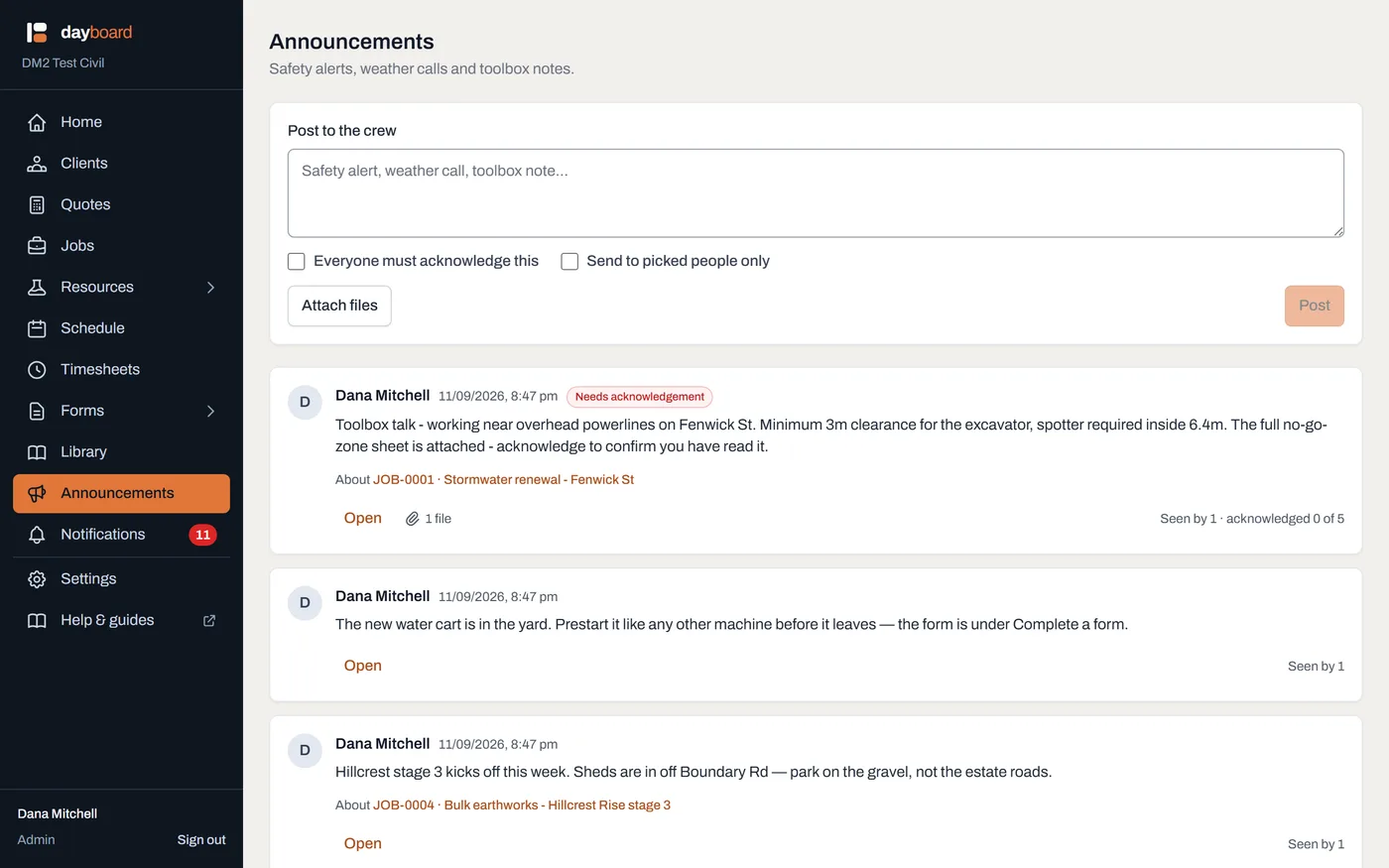
Seen and acknowledged are different facts. Seen is recorded when the post actually reached their screen, not when they logged in, and not when it was sitting forty posts down the page. -
Open the post by clicking Open on the card. Below the post sits the trail, under a heading like Acknowledged 2 of 5.
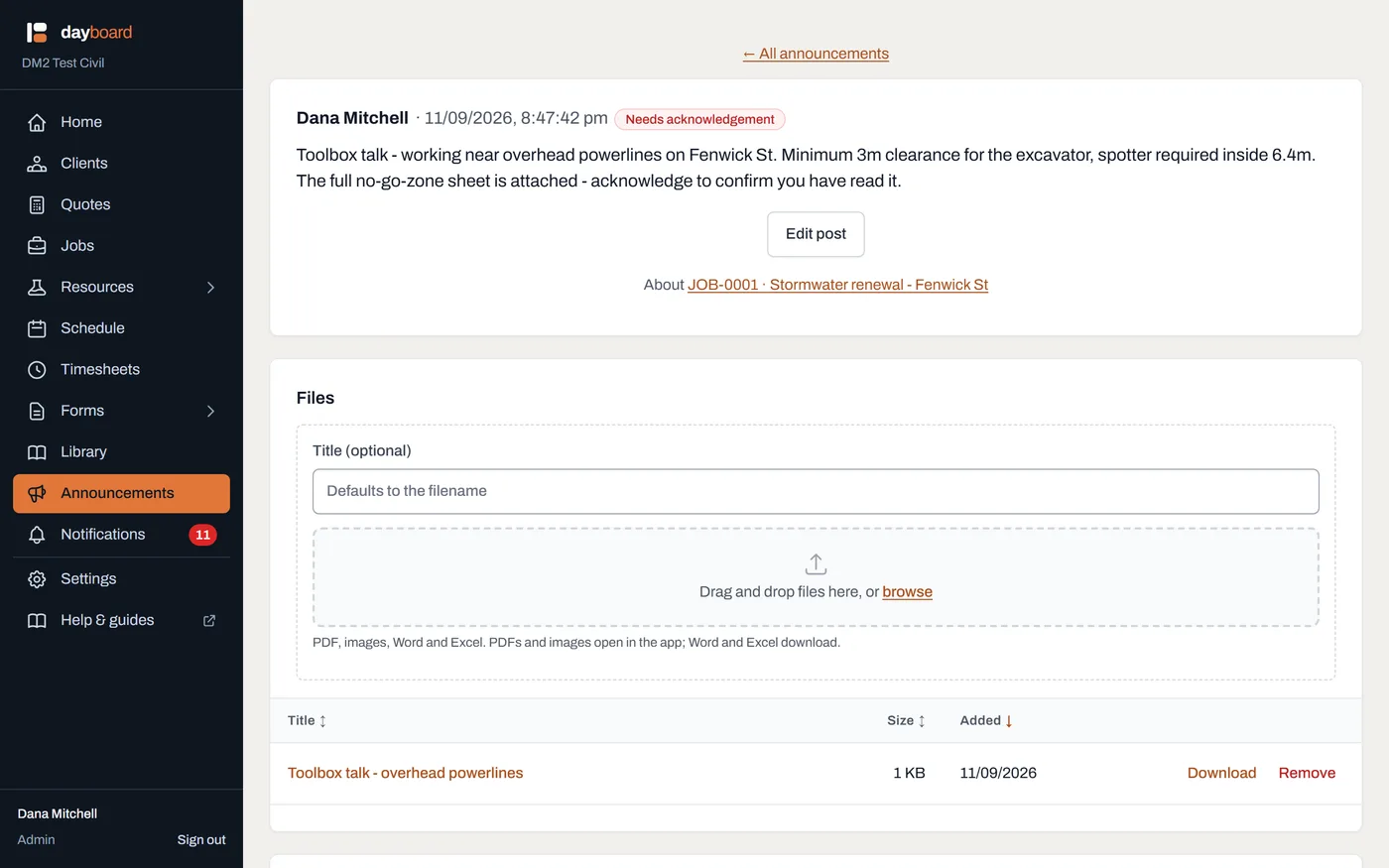
The whole record on one page: the post, its files, and who has signed. -
Work the chase list. Still to acknowledge is names, not a number: the people to see at smoko. Acknowledged lists everyone who has signed, each with the date and time they did.
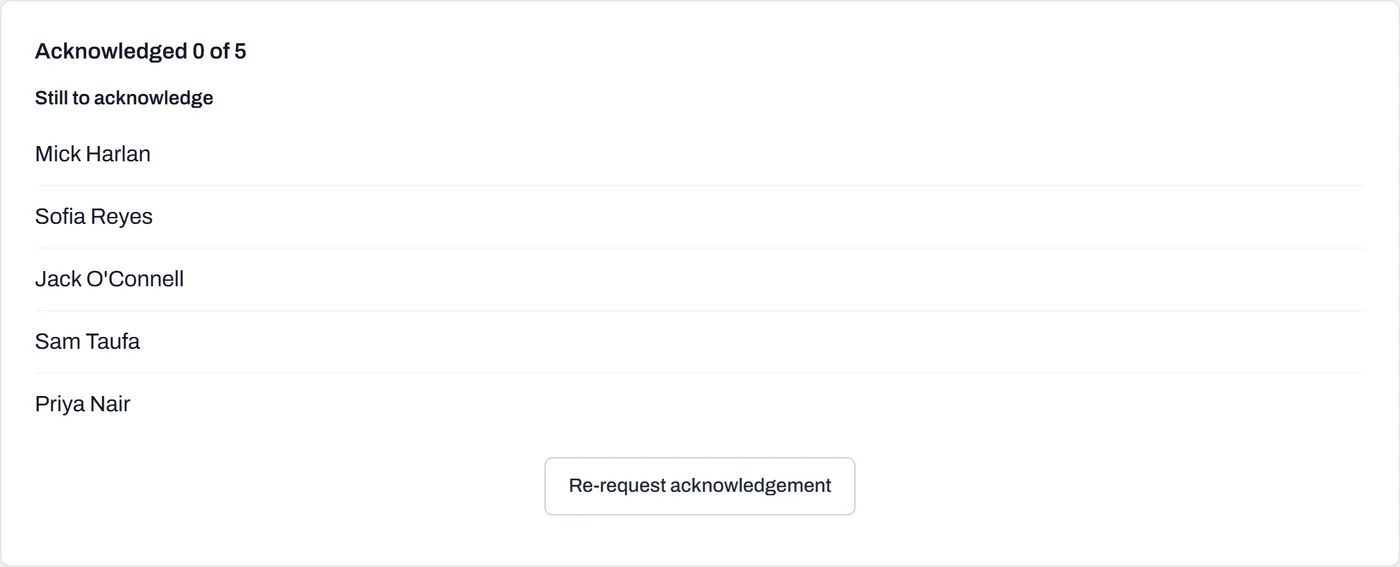
The chase list. "Who hasn't read the new exclusion zone" is a question with a deadline, so the answer is names. - Click Re-request acknowledgement to start a new round. Dayboard asks: "Ask everyone to acknowledge this again? The previous acknowledgements stay on the record." Everyone in the audience owes an acknowledgement again, and the badge and the red stripe come back for them.
- Editing the post? Decide if the change matters. When you click Edit post on a post people have already acknowledged, Dayboard reminds you their acknowledgement stays on the record against the version they read, and offers a tick-box: This has changed materially, ask everyone to acknowledge it again. Tick it for a real change; leave it for a typo.
- Check the trail is telling the truth. After an edit or a re-request, earlier entries in Acknowledged stay put, marked against version 1, since changed. Anyone auditing the record can see exactly which words each person signed against.
Worth knowing
- An acknowledgement is never deleted. Not by you, not by an admin. A re-request starts a new round on top of the old one; it doesn't touch a single existing row. That's what makes the trail a safety record rather than a scoreboard.
- Seen is not acknowledged. Seen means the post reached their screen; acknowledged means they pressed the button. Chase the second number, not the first.
- Deactivating someone takes them off the chase list, because an account that can't log in can never come off it otherwise. Anything they already acknowledged stays on the record.
- You're not on your own chase list. The author isn't in the audience, so "acknowledged X of Y" counts everyone but you.
- Deleting the post keeps the trail too; see comments, locking and deleting.