Guides › Announcements
Post to the crew
Send a safety alert or a toolbox note everyone sees, and make the ones that matter get acknowledged. About two minutes.
The short version
Open Announcements, type your message in the Post to the crew box, attach anything they need to read, tick Everyone must acknowledge this if people need to sign that they've read it, and click Post. The feed then shows you Seen by and acknowledged counts on the post, so a safety notice is never a message into the void.
-
Open Announcements. It's in the sidebar, above Notifications; that one is the software's own list of things running out, not your messages. On a phone it's the Posts tab. The compose box sits at the top of the feed.
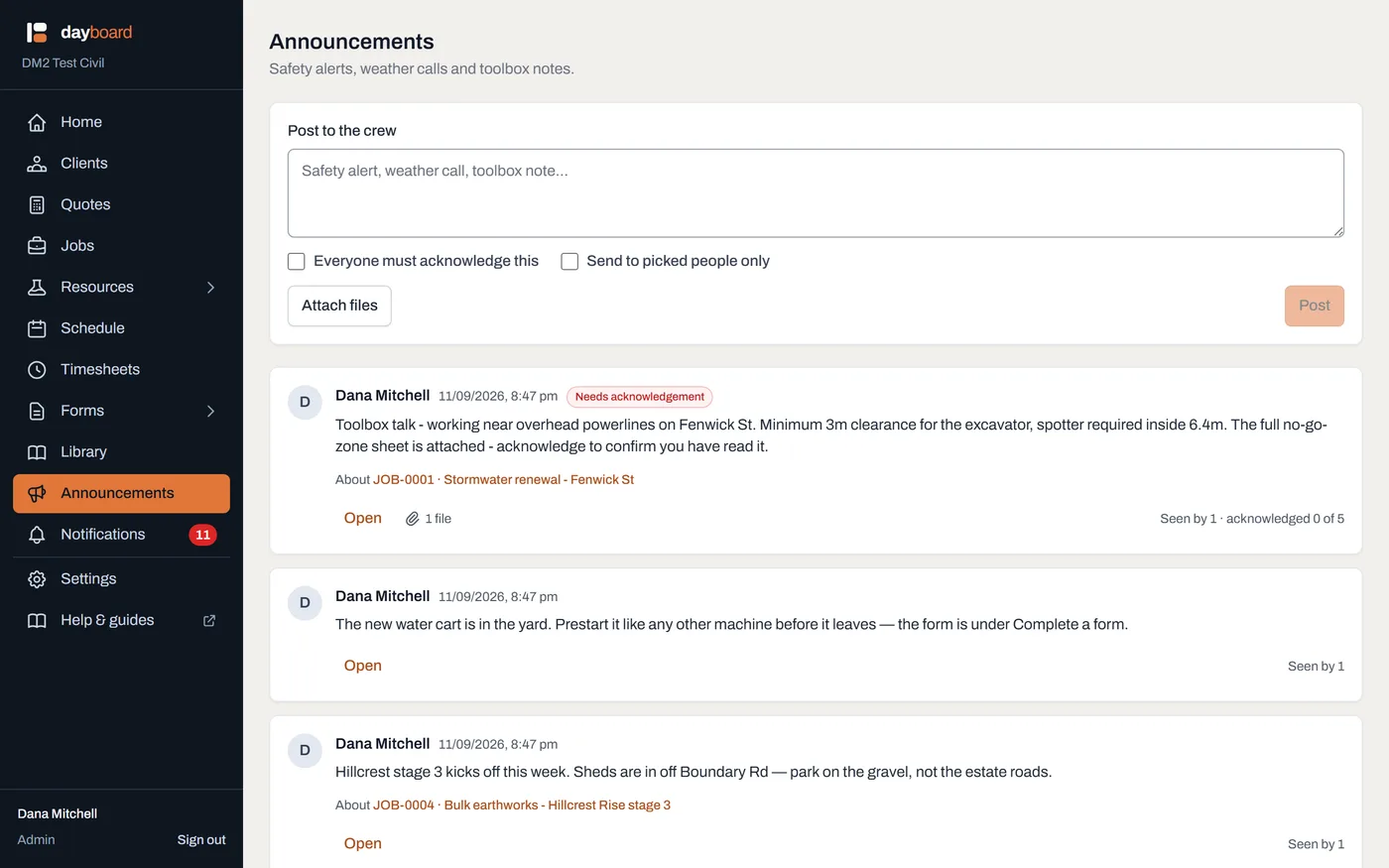
The feed. A post that requires acknowledgement carries a red Needs acknowledgement tag, and anything you still owe gets a red stripe down its left edge. - Write the message in the Post to the crew box. Safety alert, weather call, toolbox note: say it the way you'd say it at the ute.
-
Tick Everyone must acknowledge this if people need to sign that they've read it. Each person in the audience gets an Acknowledge button on the post, and you get a running count of who has pressed it.
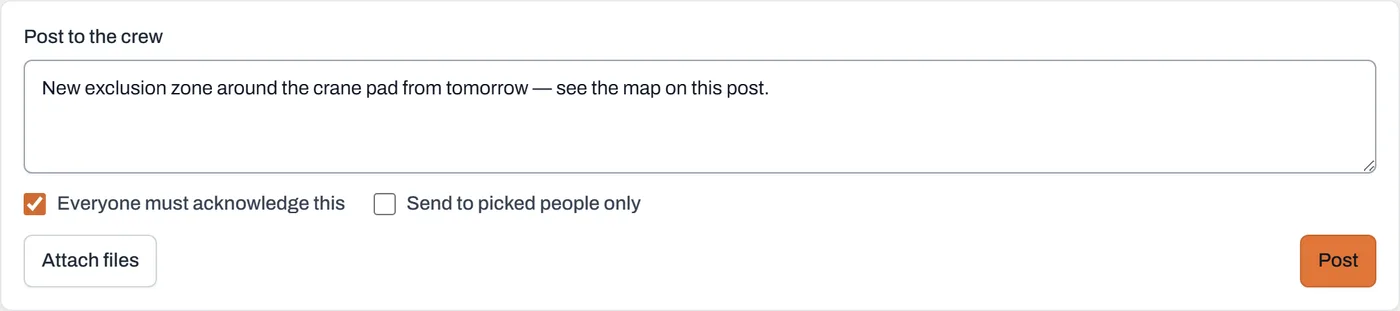
Ready to send: the message, with acknowledgement required. Leave the box unticked for an ordinary note: the crew still sees it, nobody is chased. - Narrow the audience if it's not for everyone. Tick Send to picked people only and tick names under Who is this for? The post shows a Picked people tag in the feed, and only those people are asked to acknowledge.
- Attach the files before you send it. Click Attach files and pick them: a map of the new exclusion zone, the updated SWMS, a photo off your phone. They sit under the box as little tiles you can take off again, and they go up with the post, so nobody is ever notified about a document that hasn't arrived yet. You can still add more later from the post's own Files panel.
- Click Post. The post appears in the feed straight away, for you and for everyone it's addressed to, with a paperclip showing how many files came with it.
- Check it worked. Back in the feed, your post now reads Seen by 0 · acknowledged 0 of N, where N is everyone being asked. Those numbers climb as the crew reads, and chasing the stragglers has its own guide.
Worth knowing
- "Everyone" means everyone active. A deactivated account can't log in, so it's never on the list of people being asked, so nobody sits on your chase list forever.
- You're not in your own audience. You don't chase yourself for a notice you wrote, so in a one-person company, an acknowledgement post honestly reads acknowledged 0 of 0.
- The badge on Announcements tells you what kind of number it is. Red means acknowledgements you still owe, something to do. Grey means posts you haven't seen yet, something to read.
- Managers see every post, even ones sent to picked people. The feed is also the tool for checking nothing was missed, but a manager who wasn't in the audience isn't asked to acknowledge.
- Workers can comment on a post; see comments, locking and deleting.