Guides › Forms
Change a form that's in use
Add a question to the prestart the crew uses every morning, without breaking a single record already signed. A few minutes.
The short version
Just edit it. Open the form under Forms › Templates and change what you like. The crew keeps filling in the published version until you press Publish again. Anyone mid-form when you do finishes the version they started, and every prestart already submitted stays exactly as it was answered. Nothing you change today rewrites yesterday.
- Open the form in the builder. Click Forms in the sidebar, then Templates, then the form. It doesn't matter that it's live; editing is always safe.
-
Make your changes. Add the new question, reword an old one, move things around. The moment you touch anything, an amber banner appears: Your crew is still filling in version 1. These changes go live when you publish, and past submissions keep the questions they were answered against. That banner is the whole model in one sentence.
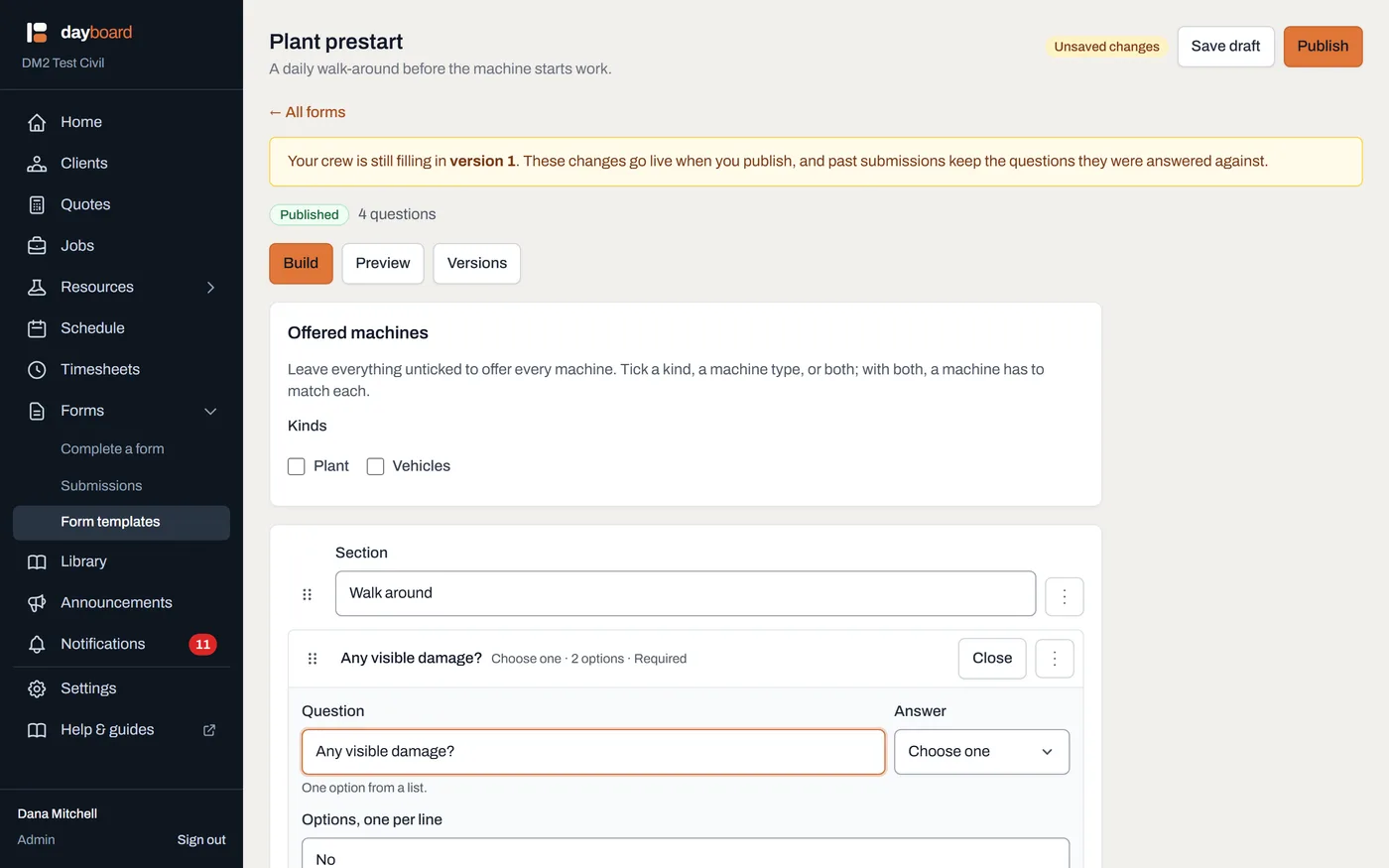
Edited, not yet live. "I changed it and nothing happened" is this working as intended: nothing happens until you publish. - Click Save draft if you're not ready to go live. Your edits keep, the crew notices nothing, and the Templates list shows an Unpublished changes badge so nobody wonders whether the draft and the live form match.
- Click Publish when you are. The version number climbs: Published version 2. Your crew can fill it in now. From that moment, every new fill starts on version 2. And the Versions tab keeps the whole frozen history: open any past version and see exactly what an operator was asked in March, word for word.
- Know what someone mid-form sees. If an operator was halfway through a prestart when you published, they finish the version they started. An amber banner on their screen tells them the office has updated the form, that this one will be recorded against the questions they can see, and that their next one will use the new version. No half-old, half-new records.
-
Check the past didn't move. Open any older submission under Forms; it still shows the questions it was answered against, word for word. March's prestart stays exactly what March was asked.
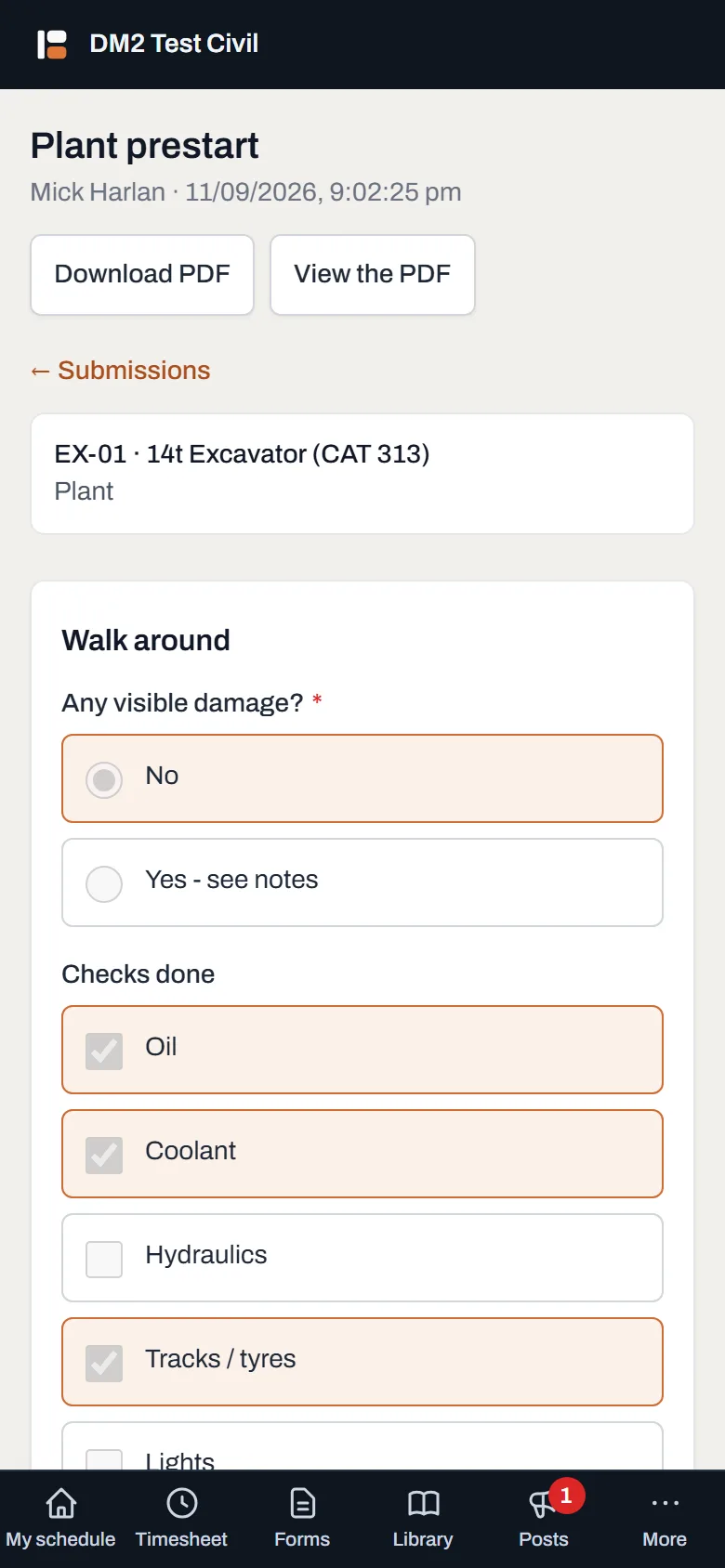
A record from before the change, untouched by it. That's the point of versions.
Worth knowing
- Rewording a question keeps its history joined. Change "Any damage?" to "Any visible damage or leaks?" and the answers given under the old wording still belong to that question, so reports and history stay in one line, not split in two.
- Removing a question is a real decision. Old submissions keep their answer to it, but new fills stop asking. If you might want it back later, it's a new question; the old answers don't rejoin it.
- Publishing with nothing changed does nothing. Opening a form and pressing Publish without a real change creates no new version; the numbers only climb when the form actually moved.
- Forms are never deleted. Every submission points at a version of its form, and a safety record with its questions deleted isn't a record. Retire a form rather than expecting to erase it.