Guides › Billing & your account
Find your tax invoices
Know where your tax invoices live, what's on them, and when the next one arrives. About two minutes.
The short version
Every charge produces a proper Australian tax invoice, GST itemised with our ABN on it, emailed to you and listed under Invoices on the billing page. Invoices are issued monthly, in arrears, for the people who were active that month. An issued invoice never changes.
- Open Billing (click Settings in the sidebar and pick the Billing tab; Settings is under More on a phone) and scroll to Invoices. The list is newest first, one row per month: the invoice number, the Period it covers, its Status, and the Total.
-
Check the status chip.
- Paid: charged to your card, nothing to do.
- Unpaid: issued, payment not yet through.
- Payment failed: the card was declined, usually an expired card. Fix it in the Payment panel on the same page; Dayboard keeps retrying in the meantime.
- Void: cancelled and replaced. If an invoice is ever wrong, it's voided and a corrected one is issued, and both stay in the list.
- Find the document itself in your email. The tax invoice is emailed to the admin when each charge happens. It carries the words "Tax Invoice", the invoice number, the date of issue, the billing period, our name and ABN, a line per role, the GST amount and the total: everything your bookkeeper needs. Forward it as it is; plain text prints and files cleanly.
-
Match it against the month-so-far estimate. The panel named after the current month, August 2026 so far, say, is next month's invoice building up in front of you. At the month boundary those numbers become the invoice, priced at the advertised card: $25 admin / $10 manager / $5 field worker, including GST.
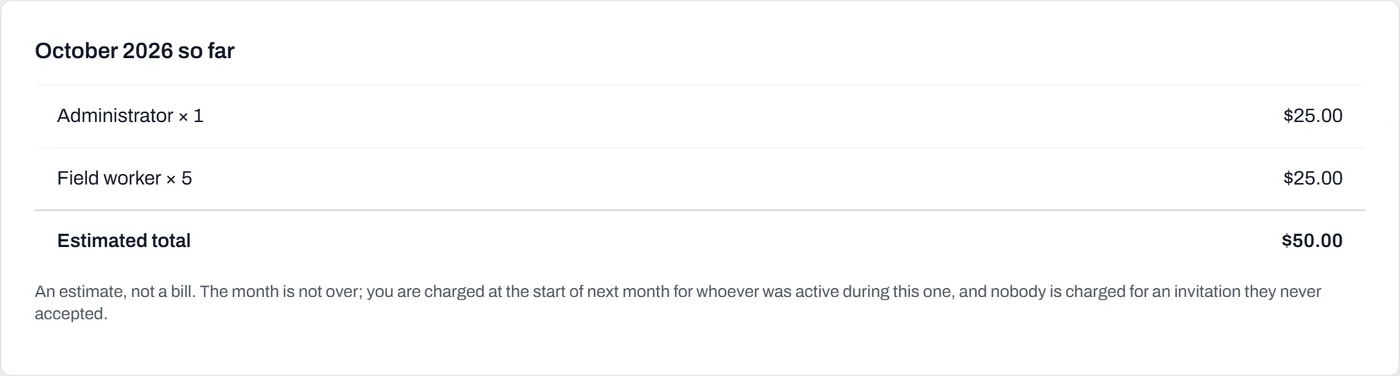
The estimate becomes the invoice at the start of next month, with no surprises between the two.
Worth knowing
- An issued invoice is a historical document. It's never rebuilt, re-priced or quietly corrected, not even by us. A later price change can't restate last year's invoice; mistakes are fixed by voiding and reissuing.
- You're only billed for people who were active that month. Someone invited who never accepted costs nothing, and a month where nobody was billable produces no invoice at all: no $0.00 paperwork in your inbox.
- A role change mid-month bills the higher role for that month. Simple, and nothing to audit.
- Prices include GST: a founding member's 30% comes off the advertised price, and the GST the invoice shows is 1/11th of what you actually pay, never an extra on top.