Guides › Jobs
Track a job's value and invoices
See what a job is worth, what's been billed and what's left, without leaving the job. About three minutes.
The short version
Every job has three money tabs after Details: Job value, Variations and Invoicing. A job made from a won quote starts at the quote's total. Approved variations move the value up or down, the invoices you record show what's been billed, and the outstanding balance is what's left. Dayboard records your invoices; your accounting package still makes them.
-
Open the job's Job value tab. Five figures, all including GST: the Original value, Approved variations, the Current value, what's been Invoiced, and the Outstanding balance, which turns red if the job has been invoiced past its value. Under them, the Cashflow chart plots each invoice and the running total by date.
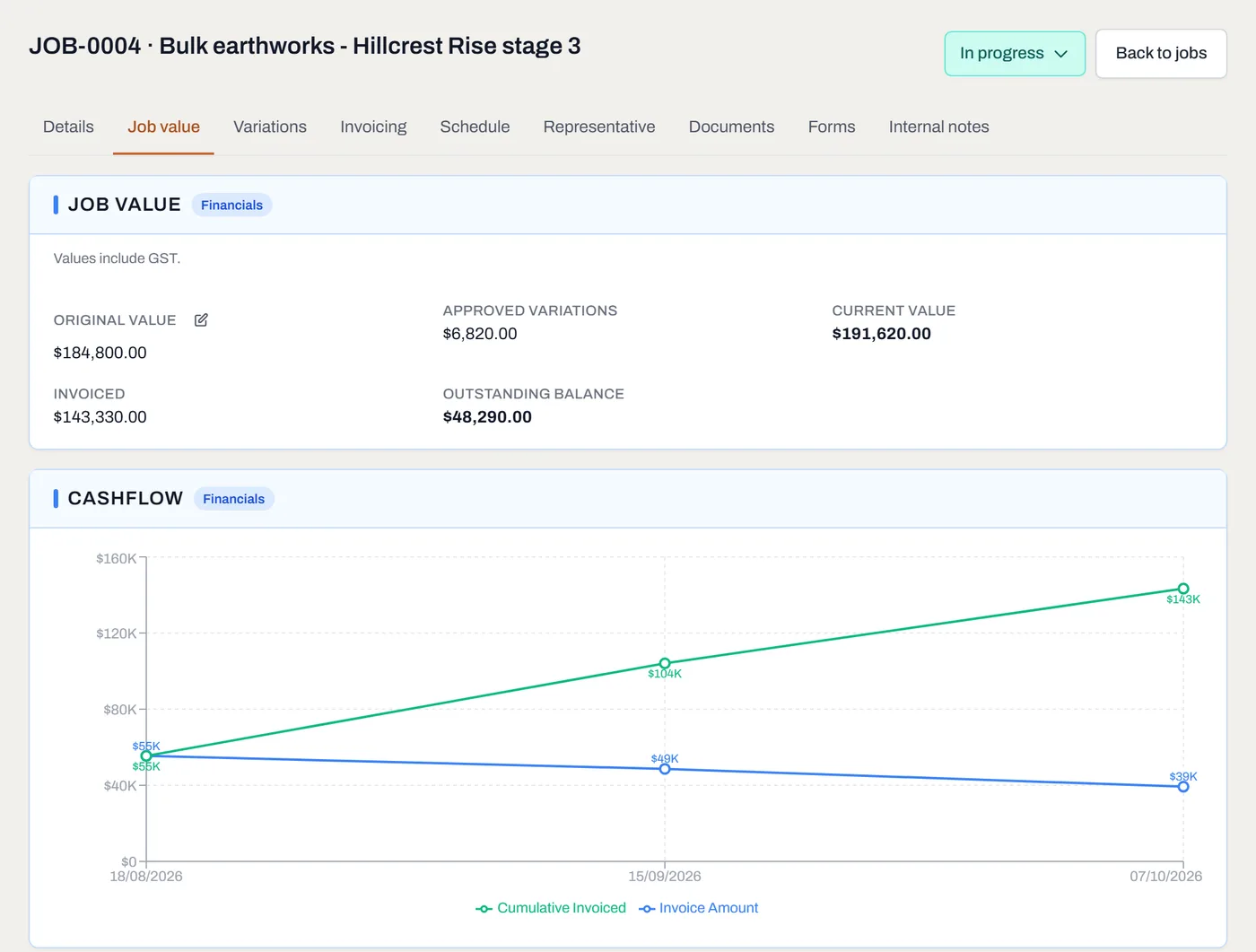
Five figures and a chart. The pencil beside Original value is for admins. - Check the original value. A job made from a won quote starts at the quote's total, GST included where the quote charged it. A job made by hand starts at $0. An admin can correct it with the pencil beside Original value.
-
Add variations as the client asks for them. On the Variations tab, click Add Variation, describe it and give its value. A deduction is a negative number. It starts Pending and doesn't move the job's value until you click Approve. Reject it if the client says no, and Revert takes either back to pending.
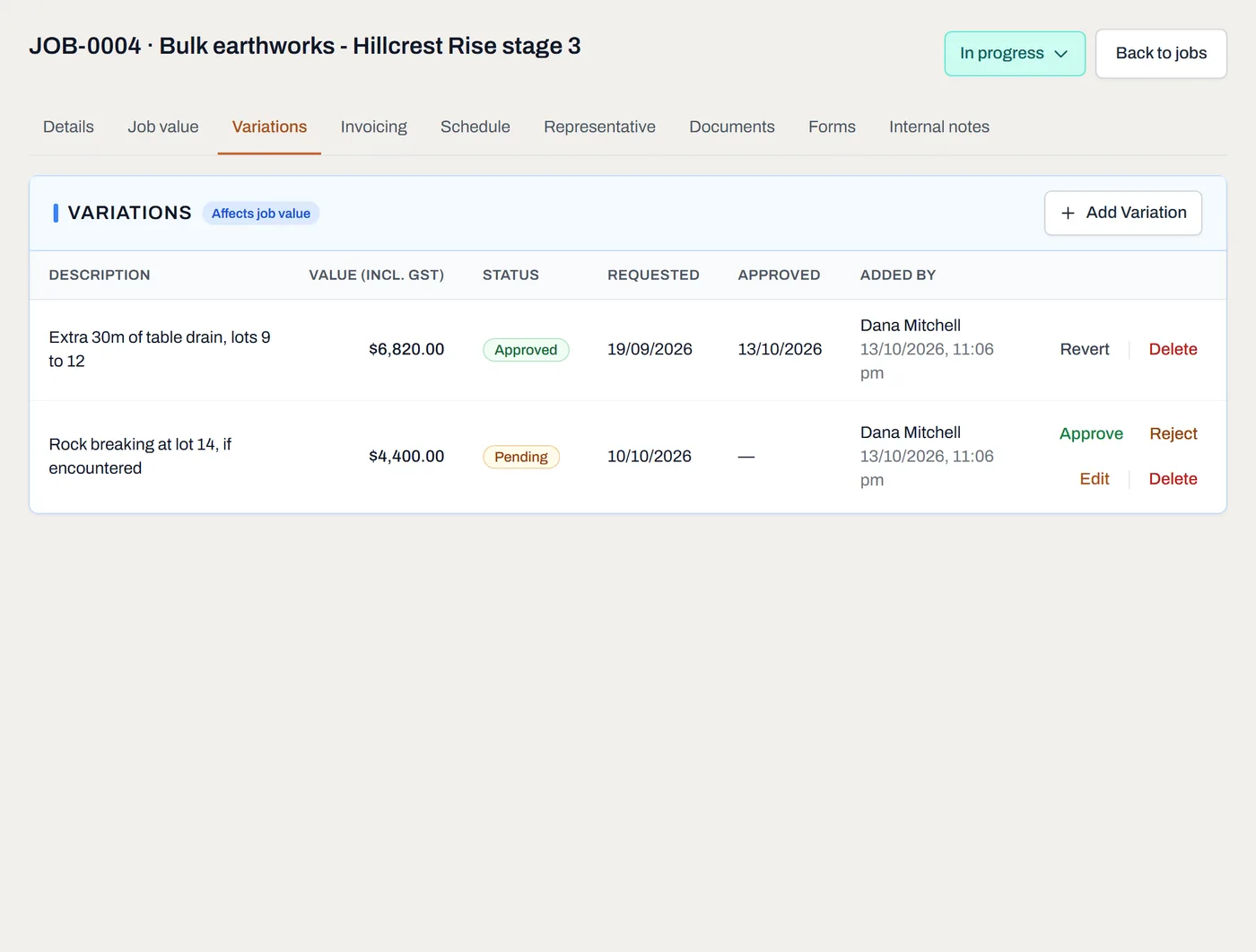
Approved variations move the value; a pending one waits for the client. -
Record each invoice as it goes out. On the Invoicing tab, click Add Invoice, enter its number, date and amount, and drop the PDF in (or browse for it). Add as many as the job needs: progress claims, a final, a retention.
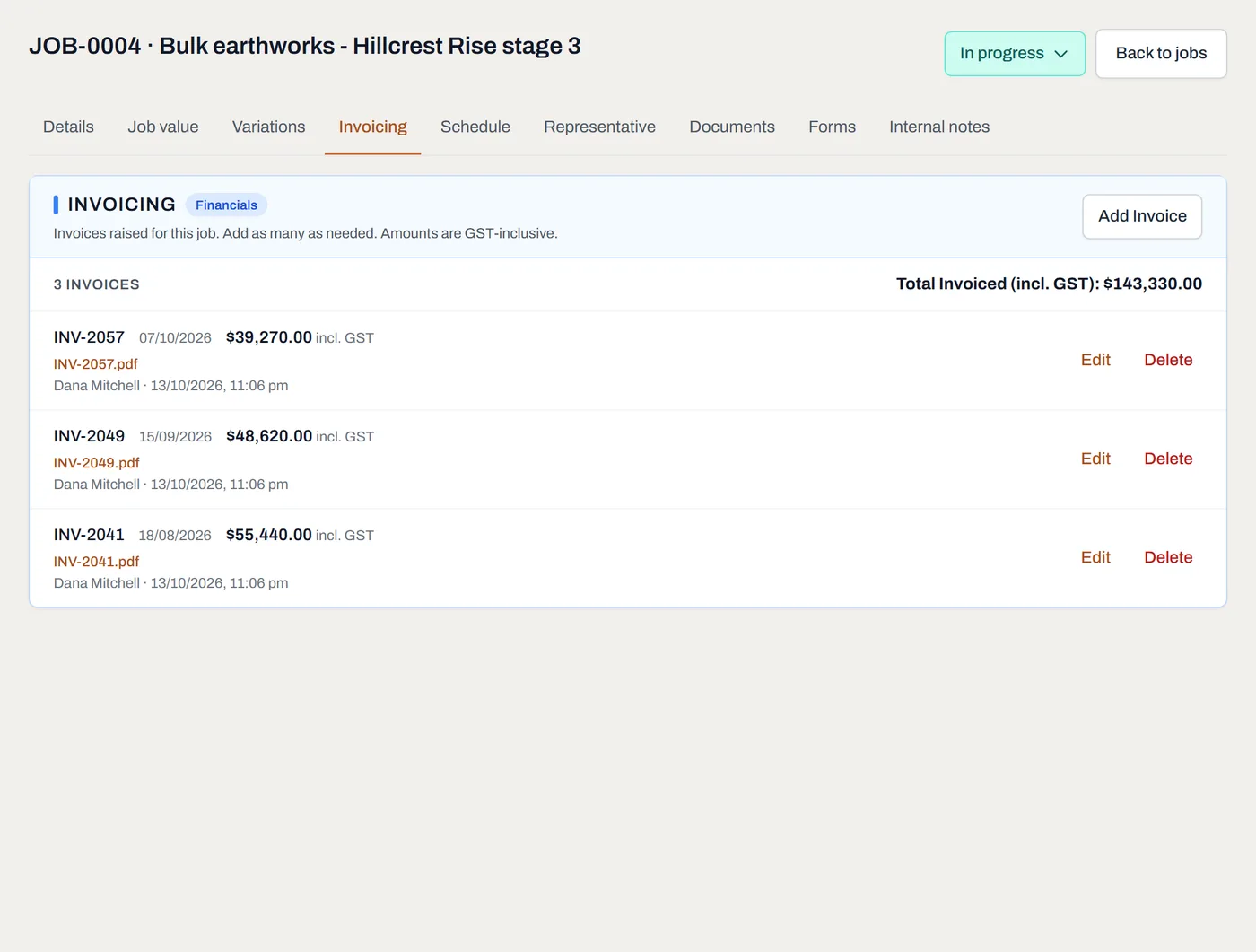
Each invoice with its PDF, opened in the app, and the total so far. - Set the job to Invoiced when the last bill has gone. Recording an invoice doesn't change the status, because one job is often billed in parts. Home's Needs invoicing card counts completed jobs still waiting.
Worth knowing
- Dayboard doesn't make invoices or take payments. It records the invoices your accounting package sends, so the job shows its whole money story in one place.
- Your crew never sees a dollar. The three tabs, the invoice PDFs and the purchase order file are for managers and admins only.
- Nothing is worked out twice. The current value, what's invoiced and what's outstanding are added up from the variations and invoices every time you look, so they can't drift.
- Home adds it up across jobs. Admins see what's not yet started, what's in progress, and the work in progress value: the open jobs' value less what's been invoiced.
- It's all in your export, in
job-variations.csvandjob-invoices.csv, with each invoice's PDF in the documents folder.