Guides › Plant & fleet
The yard walk
Read the whole fleet's hours and kilometres in one lap with a phone, and save them all at once. As long as the walk takes.
The short version
Open Resources and click Enter readings. Every meter in the yard is on one screen, grouped by machine, with the last reading shown in each box. Walk the yard, fill in what you can, and press save once: forty machines, one save. Anything you leave blank simply isn't recorded, and a reading lower than the one on file gets a "sure about that?" before it lands.
- Open Resources and click Enter readings, the button at the top of the page. The screen's own instruction is the whole method: "Walk the yard, fill in what you can, save once."
-
Walk the yard with the phone. Every meter is listed, grouped by machine, each box showing its last reading, Last: 4,180, or Never read if it's new. Typing in a box brings up the numeric keypad.
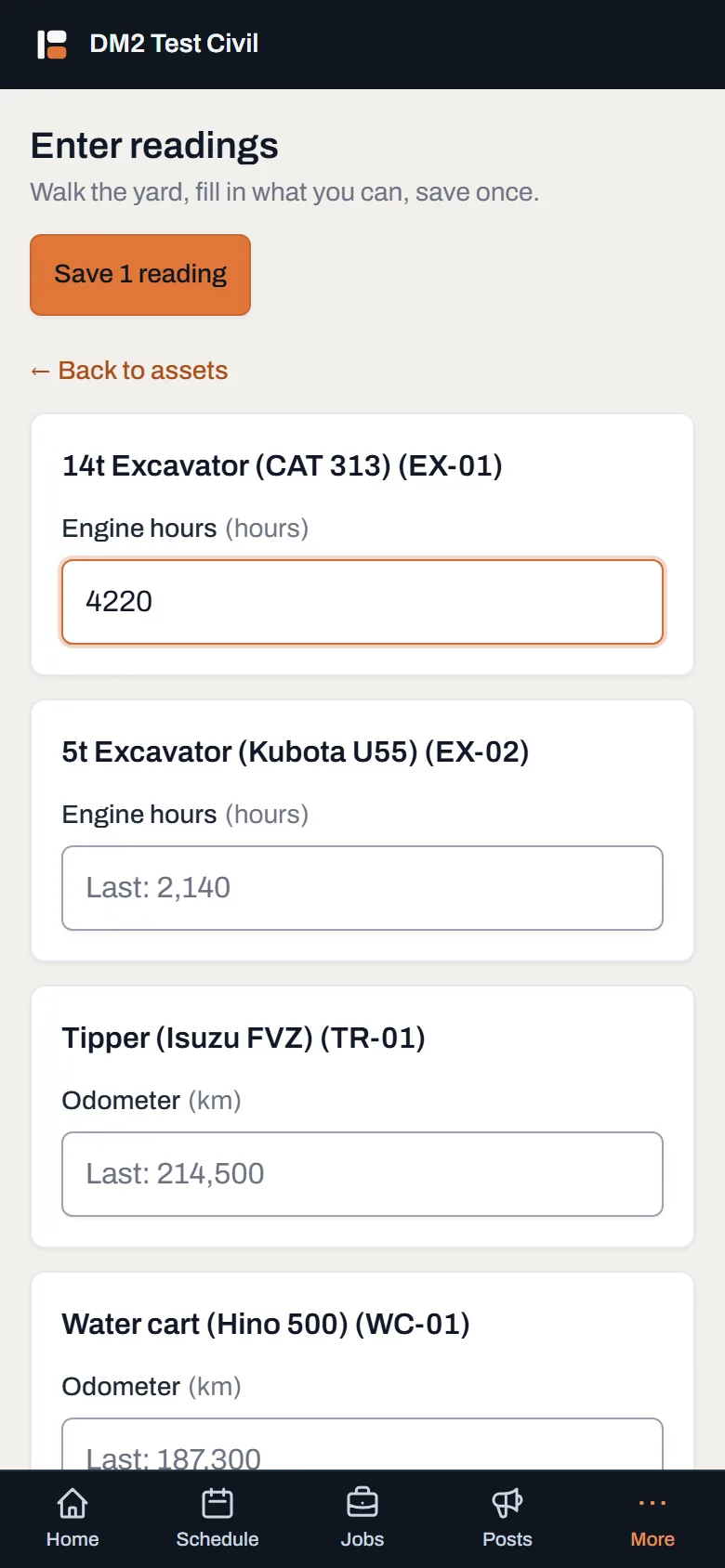
One box per meter, the last reading right there to sanity-check against, and one save button for the lot. - Fill in what you can. A blank box means "didn't get to this one"; it isn't recorded as anything. Not as zero, and not as unchanged. If a machine's out on a job today, skip it; its history stays honest.
- Press save once. The button counts as you go, reading Save 7 readings, and only the boxes you filled in are sent. Then the screen confirms: "Saved 7 readings."
-
If a reading went backwards, answer the question. Dayboard stops before saving and lists each machine where the number you typed is lower than the one on file: On file 4,180 hours; you entered 418 hours. That's usually a missing digit. It's also exactly what a genuinely replaced meter looks like, which is why it's a question, not a refusal.
- Go back and fix them: nothing has been saved; correct the typo and save again.
- Save them anyway: the readings land, and the history keeps both numbers.
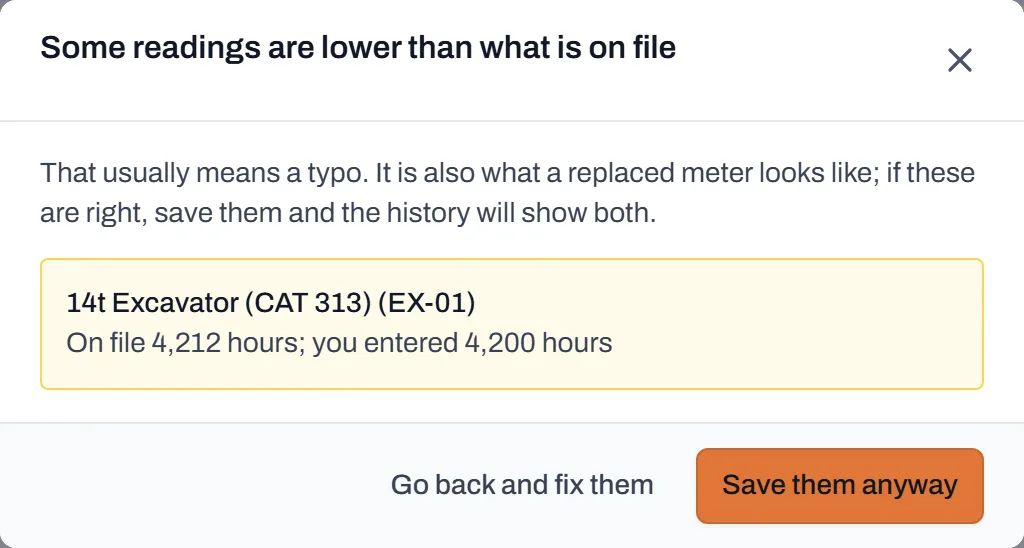
The typo net. Each machine is named with both numbers, so a fat-fingered digit and a replaced meter are easy to tell apart.
Worth knowing
- One save is the feature. Forty machines is one lap and one press, not forty separate screens. Two people can even enter readings at the same time without treading on each other.
- Blank is never zero. A machine nobody got to today is simply not recorded; its meter keeps its last reading and its history gains nothing false.
- Every reading is signed. The meter's history keeps who entered each number and on what day.
- This is what feeds "service due". Fresh readings are how Dayboard knows a machine is closing in on its next service; see services and service due.