Guides › Plant & fleet
Meters: hours and kilometres
Put a meter on each machine so its hours and kilometres live in Dayboard, with a history of who read what. A minute per machine.
The short version
Open the machine's page, click Add meter, name it, pick whether it reads in hours or kilometres, and type the reading off the dash if you have it. The first meter becomes the primary automatically; that's the one the service-due rule watches. Every reading after that is kept: the number, the date, and who entered it.
-
Open the machine's page. Click Resources in the sidebar, pick Assets, and click the machine's name. Its page is tabbed: Overview, Schedule, Service, Documents and Pre-starts. Meters and Service history both live under Service.
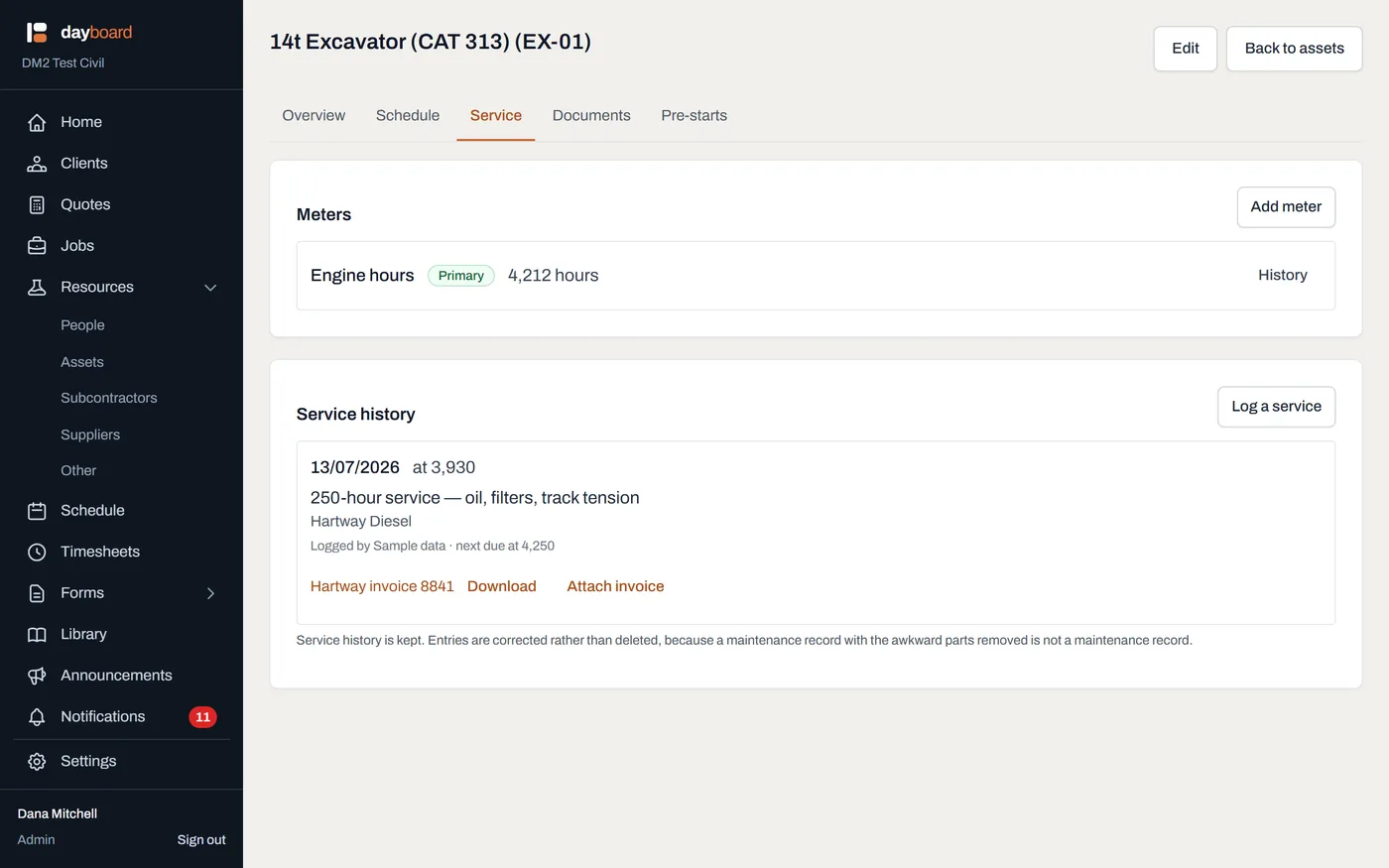
The Service tab, with the Meters panel above the service history and the current reading on each row. - Click Add meter in the Meters panel.
-
Name it, and pick what it Reads in. "Engine hours", "Odometer", "PTO hours": a machine can carry more than one. Reads in is Hours or Kilometres.
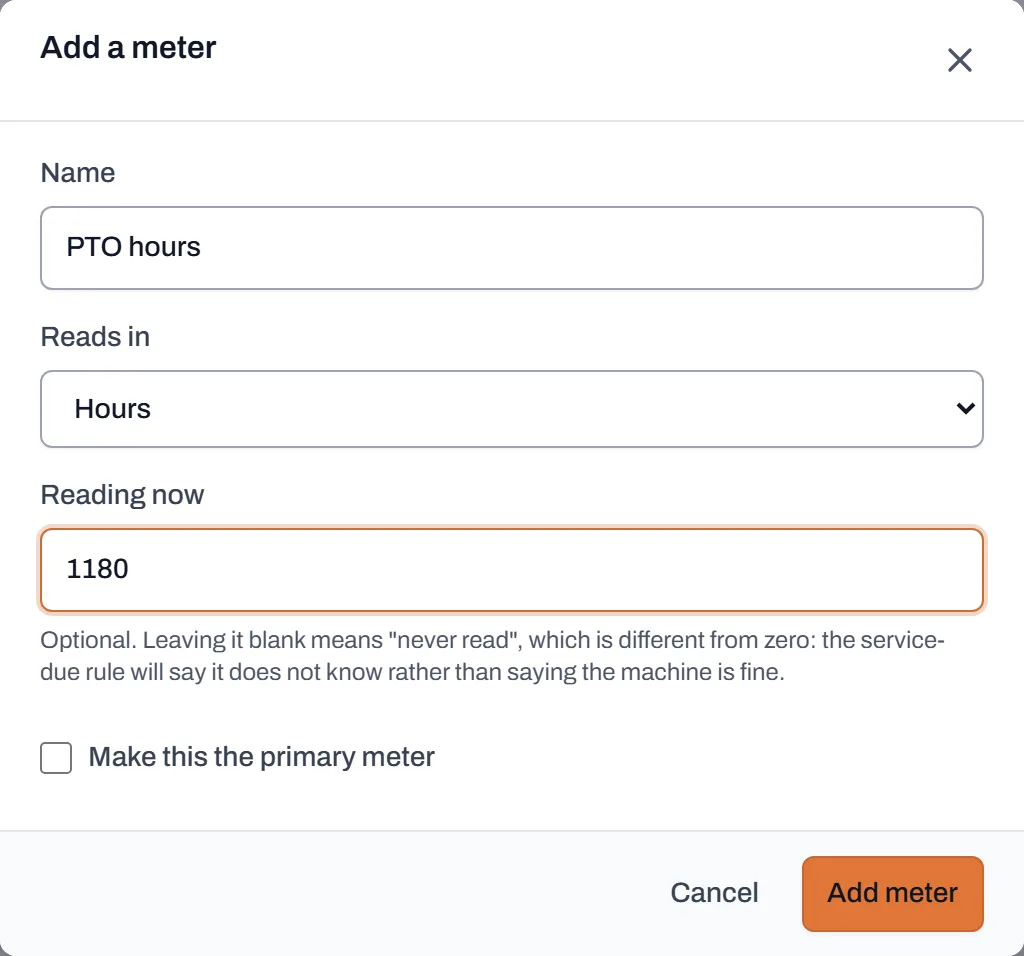
Adding a second meter. The opening reading is optional, but a blank means "never read", not zero. - Type the Reading now if the dial is in front of you. It's optional, and leaving it blank means "never read", which is different from zero: the service-due rule will say it doesn't know rather than saying the machine is fine.
- Click Add meter. The first meter on a machine becomes the primary automatically, and wears a Primary badge on its row. The primary is the one the service-due rule reads. To promote a different one later, click Make primary on its row.
-
Check the history any time. Click History on a meter's row: every reading, the date it was taken, and the name of whoever entered it, even after they've left the company.
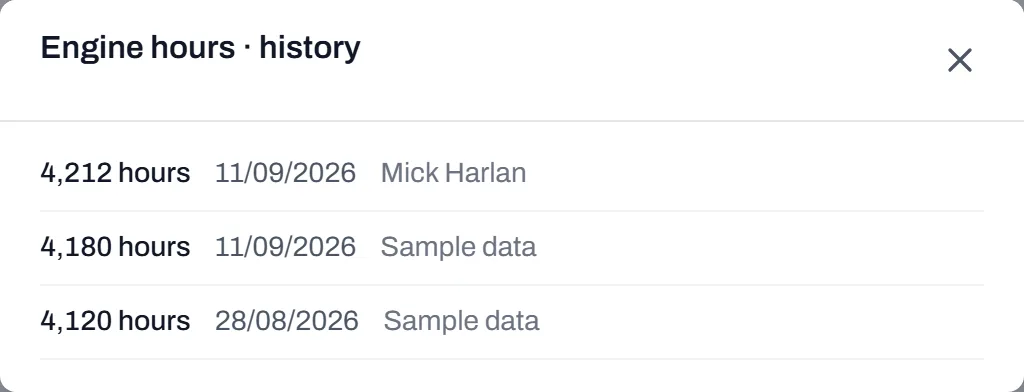
The history answers "who read this, and when", not just "what's it on now".
Worth knowing
- Meters are why the rest of the fleet features work. The primary meter's reading is what decides service due, and a machine with a meter joins the yard walk.
- Prestart forms update meters too. A meter question on a prestart writes the operator's answer straight into the machine's reading, so the morning paperwork keeps the hours current without anyone doing it twice.
- History is never rewritten. A corrected reading leaves both the wrong value and the correction in the list; the correction is the interesting part of the record.
- A reading never goes backwards silently. Type something lower than what's on file and Dayboard asks first. That's the typo net, covered in the yard walk.