Guides › Plant & fleet
Services, repairs and "service due"
Log what was done to a machine, keep the record forever, and get told before the next one is due. About two minutes per service.
The short version
On the machine's page, click Log a service: the date, what was done, the reading at the time, who did it. A service rolls the machine's next-due target forward by its interval; a repair is kept in the history but moves nothing. Dayboard then watches both the calendar and the meter, takes the worse of the two, and puts what's due in Reminders on Home.
-
Open the machine's page (Resources, Assets, click its name) and pick the Service tab. Service history sits under the meters.
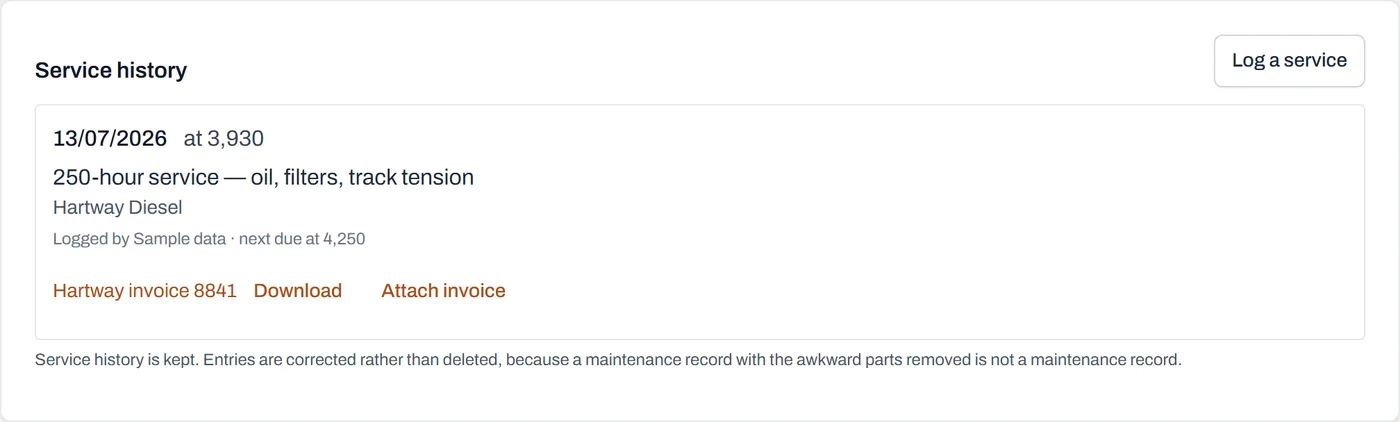
Each entry keeps the date, the reading, who did the work, who logged it, and where the next target moved to. - Click Log a service.
-
Fill it in. Date, What was done ("250-hour service: oil, filters, track tension"), Reading at service off the meter, Who did it, and any Notes.
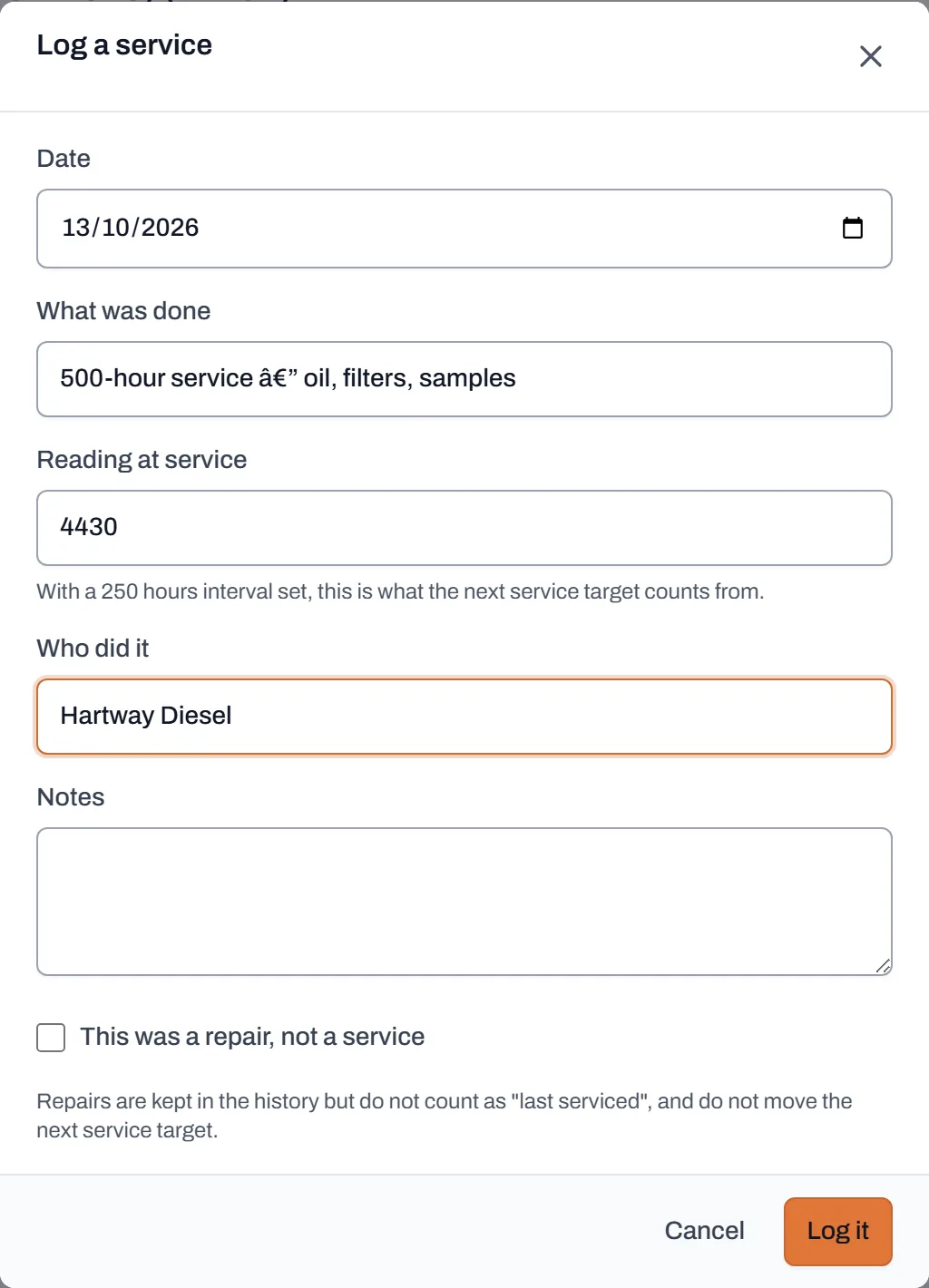
The reading at service matters: with an interval on the machine, it's what the next service target counts from. - Tick "This was a repair, not a service" if that's what it was. A blown hose fixed at 4,100 hours doesn't mean the 4,250-hour service happened. Repairs are kept in the history, with a Repair badge, but they don't count as "last serviced" and don't move the next service target.
- Click Log it. The entry lands in the history, and if the machine has a service interval, the next-due target rolls forward: a 250-hour interval and a service at 4,180 puts the next one at 4,430. The entry shows where the target moved to: "next due at 4,430".
- Attach the invoice while you have it. Each entry in the history has an Attach invoice link. The file then shows in both places: beside the work it paid for, and in the machine's Service & repair invoices folder under Documents. It's one document, filed once, and it stays if the entry is ever corrected.
- Let Home do the chasing. The Reminders panel on Home lists what's Overdue, due Today, and coming up: services alongside regos and expiring documents, one list. An admin can click Change when these appear to set how far out the warnings start, in kilometres, hours and days.
Worth knowing
- Worst state wins. A machine can carry a date target and a meter target. A truck overdue on kilometres is overdue, however far off its inspection date is; Dayboard never lets the healthier number hide the worse one.
- Unknown is not "fine". A machine with a service target but no reading ever recorded shows nothing rather than showing OK. Dayboard doesn't know, and saying "fine" on a screen someone scans for problems is how a service gets missed. A yard walk fixes it.
- Overdue is sticky. An overdue service shows until the work is logged and the target moves; it doesn't fade because a week went by.
- Records are corrected, never deleted. As the panel itself puts it: a maintenance record with the awkward parts removed is not a maintenance record.
- Reminders inform; they never block. An overdue machine can still be booked; the decision stays yours, made with the flag in front of you.