Guides › Scheduling
Book a machine in at the mechanic
Get a service on the board so nobody books that machine onto a job while it's in bits. About two minutes.
The short version
Click Book maintenance on the schedule, pick the Machine, the Supplier and the dates, and click Book it in. It's all day by design, it clashes with job bookings the same as any other work, and the Maintenance view shows exactly what's off the road and who has it.
-
Add your mechanic as a supplier first, once. Open Resources and add the workshop under Suppliers. Suppliers exist so you know who has the machine; they're never booked onto jobs themselves.
- The maintenance form itself will remind you if there are no suppliers yet.
-
Click Book maintenance on the schedule, next to New booking at the top right. The Book in for maintenance dialog opens.
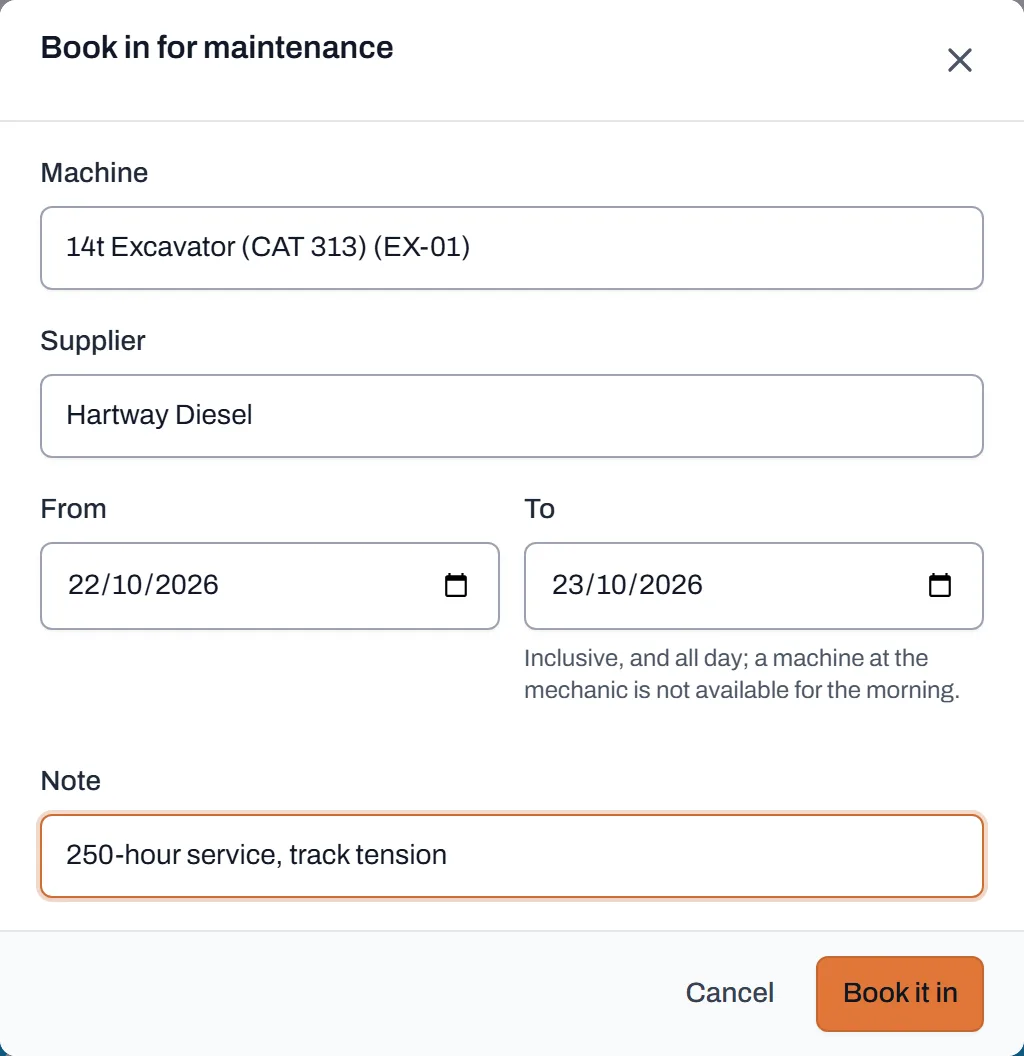
Machine, supplier, dates, note. No time fields; a machine at the mechanic is gone for the day. - Pick the machine. The Machine list is plant and vehicles only; type a few letters to search. A person going away is leave, not maintenance: see marking someone away.
- Pick the supplier and the dates. Supplier is who's doing the work; From and To are inclusive, and all day; there are no times on maintenance, deliberately. A machine at the mechanic is not available for the morning.
- Add a note and click Book it in. "250-hour service, track tension" tells the yard why it's gone. If the machine is already committed those days, on a job or already at a supplier, Dayboard refuses with the same conflict panel a job booking gets, with the details. Same rules as any clash: see when Dayboard says no.
-
Check the Maintenance view. Switch the schedule to Maintenance: every machine that can go to a mechanic gets a row, job bookings are filtered out, and each bar names the supplier who has it. That's the "what's off the road this fortnight" answer in one look.
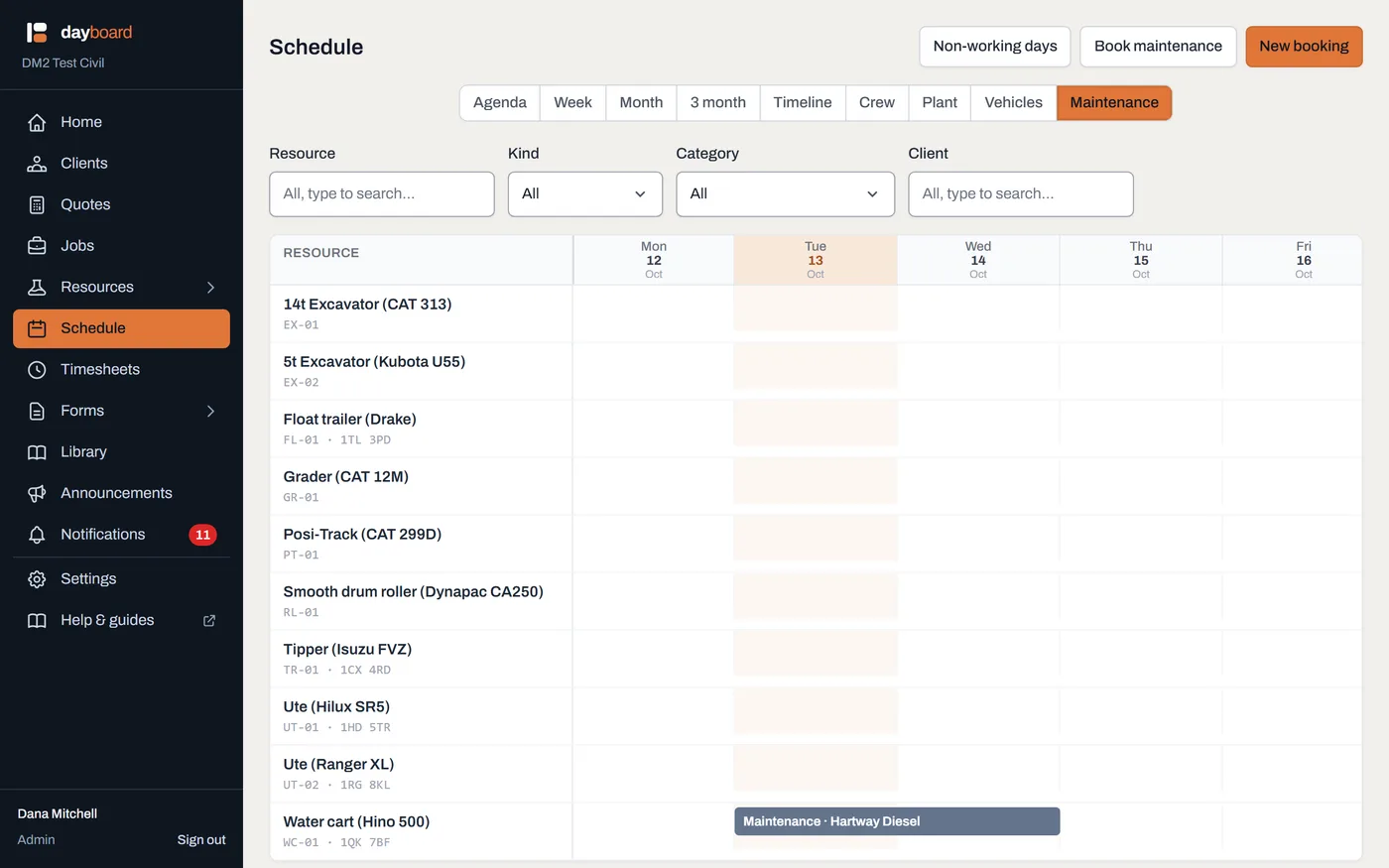
Only the off-the-road time shows here; the machines' job bookings live on the Plant and Vehicles boards.
Worth knowing
- Maintenance clashes on dates alone. A job booking on the same machine for any overlapping day is refused, timed or not; there's no half-day at the mechanic.
- It shows up everywhere, named by the supplier. On Agenda, the day panel and the boards, the booking reads Maintenance with the supplier's name, so the answer to "where's the water cart?" includes who to ring.
- Booked days at the mechanic and leave are different things. Maintenance carries a supplier and shows on the Maintenance view; an away entry is just dates and a reason. Use maintenance for machines whenever a supplier has them.
- Record the service afterwards on the machine's page. Each machine's resource page keeps its service history and meters, so the paper trail lives with the machine, not in a text thread.