Guides › Quotes
Turn a won quote into a job
A won quote becomes a job without typing it in again. About a minute.
The short version
Set the quote to Won, click Make it a job, tick any files the crew needs on site, and click Make the job. You land on the new job, ready to book.
- Mark the quote Won. Use the status menu at the top of the quote. The decided date is stamped for you.
-
Click Make it a job. A dialog says what comes across: the client, the title, the site address, the representative, the quote manager as the job manager, and a copy of the internal notes.
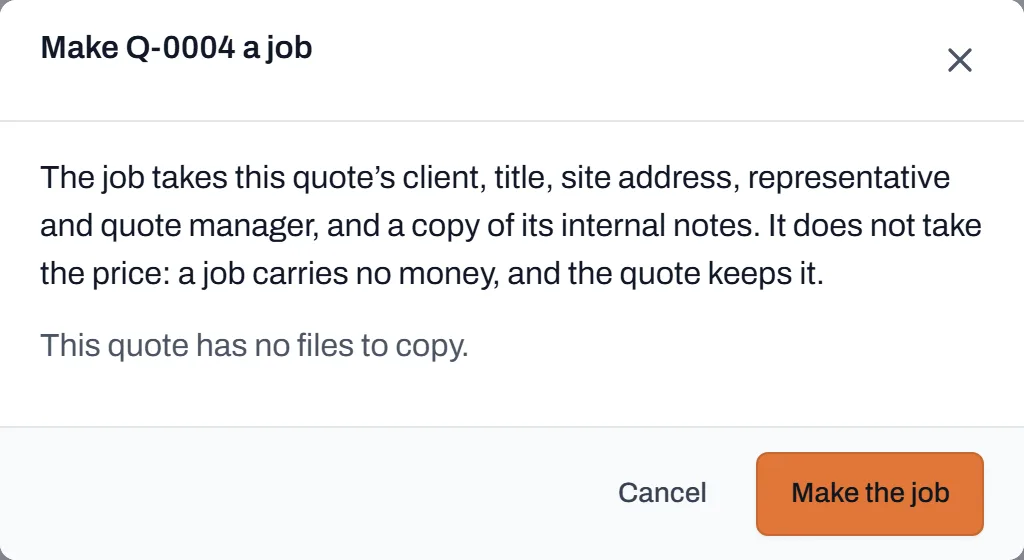
What comes across to the job. Files to copy are listed here, none ticked. - Tick the files the crew needs. Nothing is ticked to start with, on purpose: anyone booked on a job can open its files, so leave the priced quote behind and tick the drawings and plans.
- Click Make the job. Dayboard opens the new job. It starts as Pending and becomes Scheduled once you book it.
Worth knowing
- The quote's total becomes the job's value. The job's Job value tab starts from it; later changes are variations on the job, because the quote stays as it was won. The job shows "Made from quote" with a link back. All of it is for managers and admins only: your crew never sees a dollar. See Track a job's value and invoices.
- One quote, one job. Once a quote has become a job it is kept as it was won; only notes can still be added.
- The quote manager has left? They are not carried across, and the job has no manager until you pick one.