Everything you schedule, in Dayboard, typed in one at a time or imported from a spreadsheet. Ten minutes for most outfits.
AdminsManagers~5 minutes
The short version
Open Resources and pick a group: People, Assets, Subcontractors, Suppliers or Other. Add one with the Add button, or click Download template, fill it in a spreadsheet, and bring the whole list in with Import CSV. Machines carry a rego and an expiry date, and Dayboard flags the rego before it lapses.
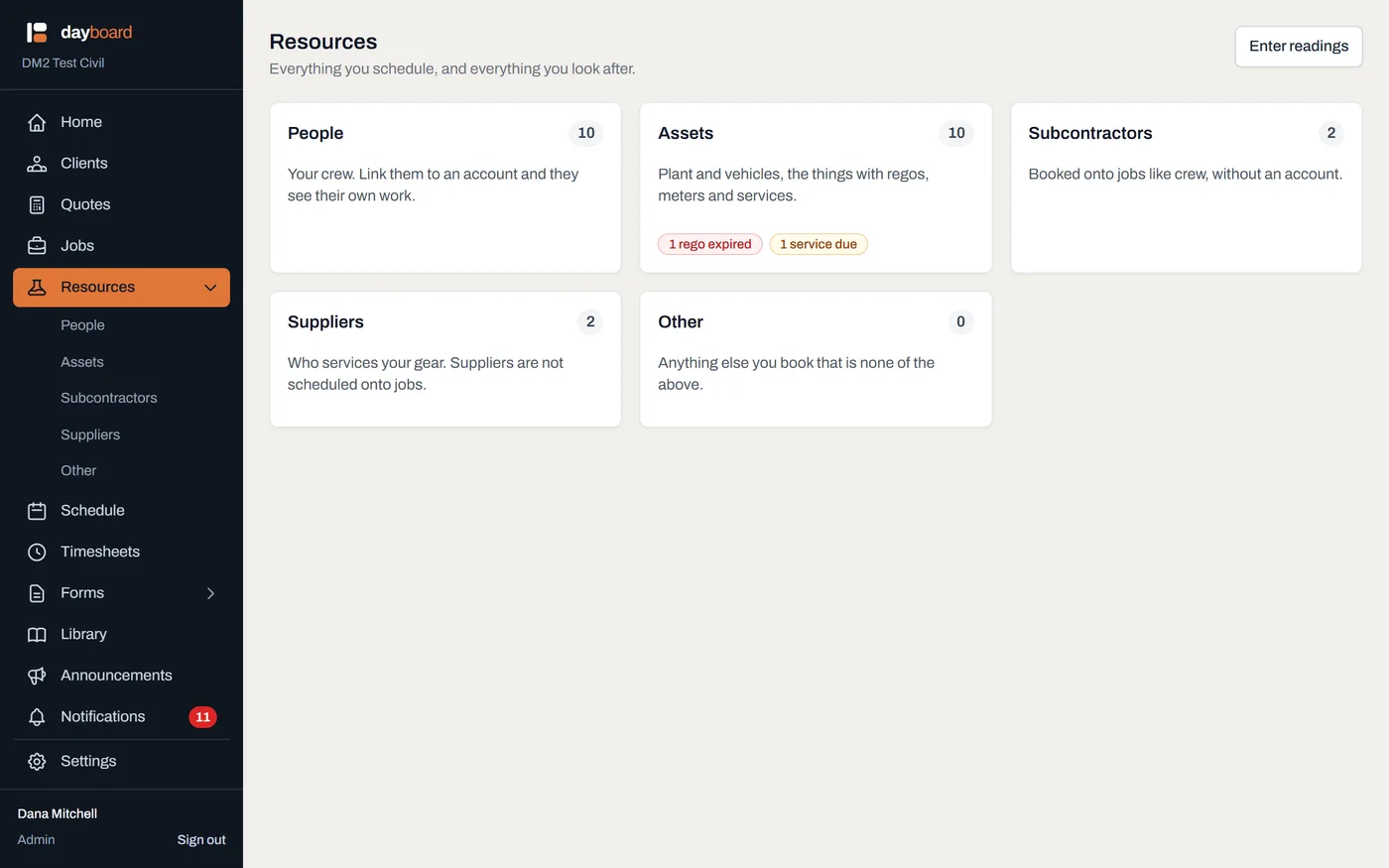
Open Resources. Five cards, each a door into one list, with a live count on every card:
People: your crew. Link them to an account and they see their own work.
Assets: plant and vehicles together, the things with regos, meters and services.
Subcontractors: booked onto jobs like crew, without an account. Each one carries an Insurances section on its page: record the policies off their certificates of currency (workers comp, public liability, motor fleet, professional indemnity), attach the certificate, and the expiry shows up in Notifications before it lapses.
Other: anything else you book that is none of the above.
The Assets card also carries the two numbers a fleet owner opens this page for: how many regos have lapsed, and how many services are due.
Pick a group and click Add. On People the button reads Add person; on Assets, Add asset. Each group adds its own kind, so a person can't be created from the Suppliers list.
Fill in the details.Name is the only must-have. For an asset you also choose the Kind, Plant or Vehicle, and get three more fields:
ID: your own label for the machine ("EX-05"). Optional; it shows next to the name wherever the machine appears.
Registration and Registration expiry: the plate and when it lapses. Dayboard flags it on the list before it does, the same way a document's expiry is flagged.
Position on a person, Category on everything else: the same box under two labels, free text like "Leading hand" or "Excavator", used for grouping and filtering.
On a person there's a Linked account picker; linking is what gives them My schedule in the app. More in Invite your crew.
Click Add resource and it's on the list.
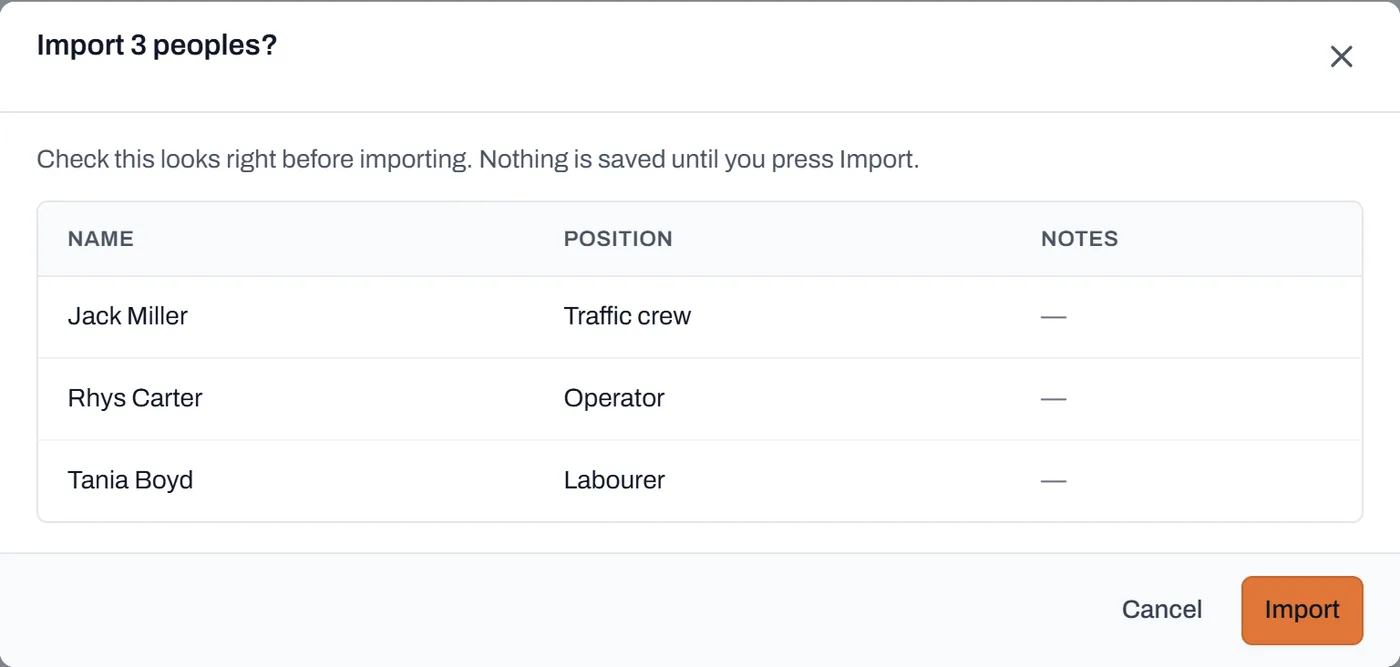
Or import the whole list from a spreadsheet. Click Download template (each group's template has only the columns that group can hold), fill it in Excel, then click Import CSV and pick the file. You get a preview first, and as it says on the dialog, nothing is saved until you press Import.
The preview before the commit. The import is all-or-nothing: one bad row refuses the whole file with a reason, so you never end up with half a list.
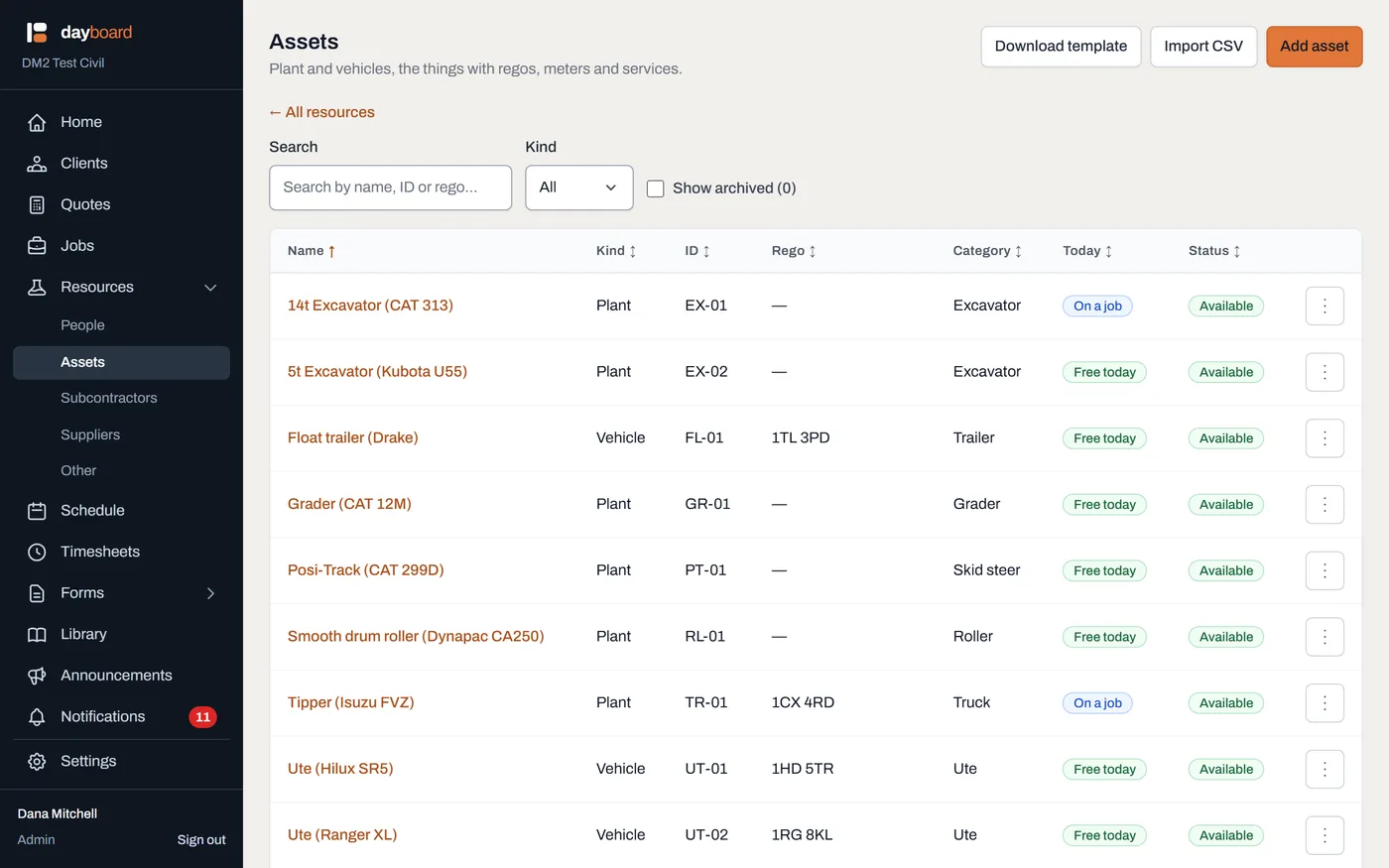
Check the list. Open Assets and you'll see the ID and Rego columns, a Today column showing where each thing is right now (available, on a job, away) and badges wherever a rego is expired or due soon.
Status Today is read off the live schedule, not typed in. It answers "where is this thing right now".
Back on the landing page, Enter readings at the top right is the yard walk: every meter on one screen.
Worth knowing
Only the name column is required in a CSV. Anything else can be blank, and a file imported from inside a group lands as that group's kind, so a crew list needs no kind column at all.
Imports take up to 500 rows at a time, and a refused import saves nothing. Fix the row it names and run it again.
Assets is one list on purpose. The fleet is plant and vehicles together; whether a machine happens to be road-registered is a property of the row, not a reason to look somewhere else.
An expiring rego turns up on Home too: the reminders list folds regos, services and expiring documents together, so the office sees it without opening this page.
Crew without accounts schedule exactly the same way. A resource is a thing on the board; an account is a sign-in. You can run for weeks on resources alone and invite people when you're ready.