Work through the eight steps on Home and turn a blank account into a working company. An afternoon, all up.
AdminsManagers~4 minutes
The short version
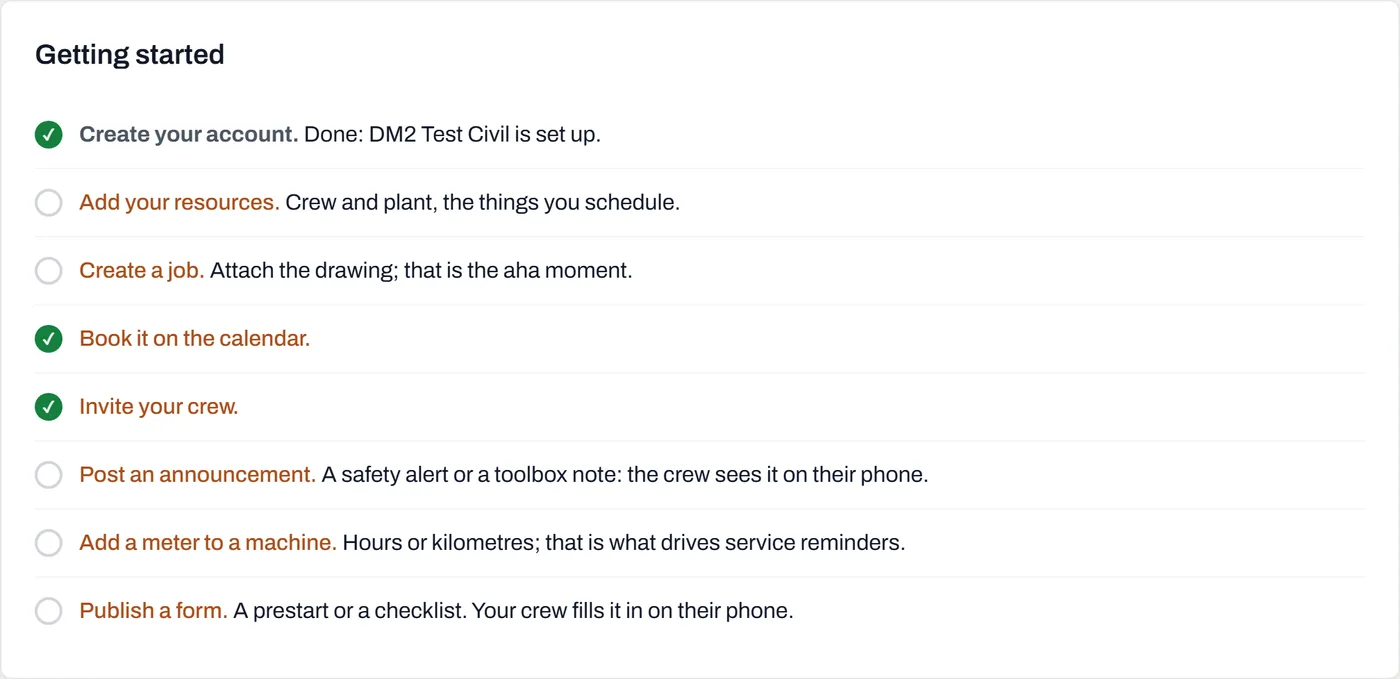
Your Home screen ends with a Getting started list of eight steps. Each label links to the page where the work happens, and each step ticks itself off when the real thing exists: a resource added, a job created, a booking made. Do them top to bottom; the order is there because each step gives the next one something to work with.
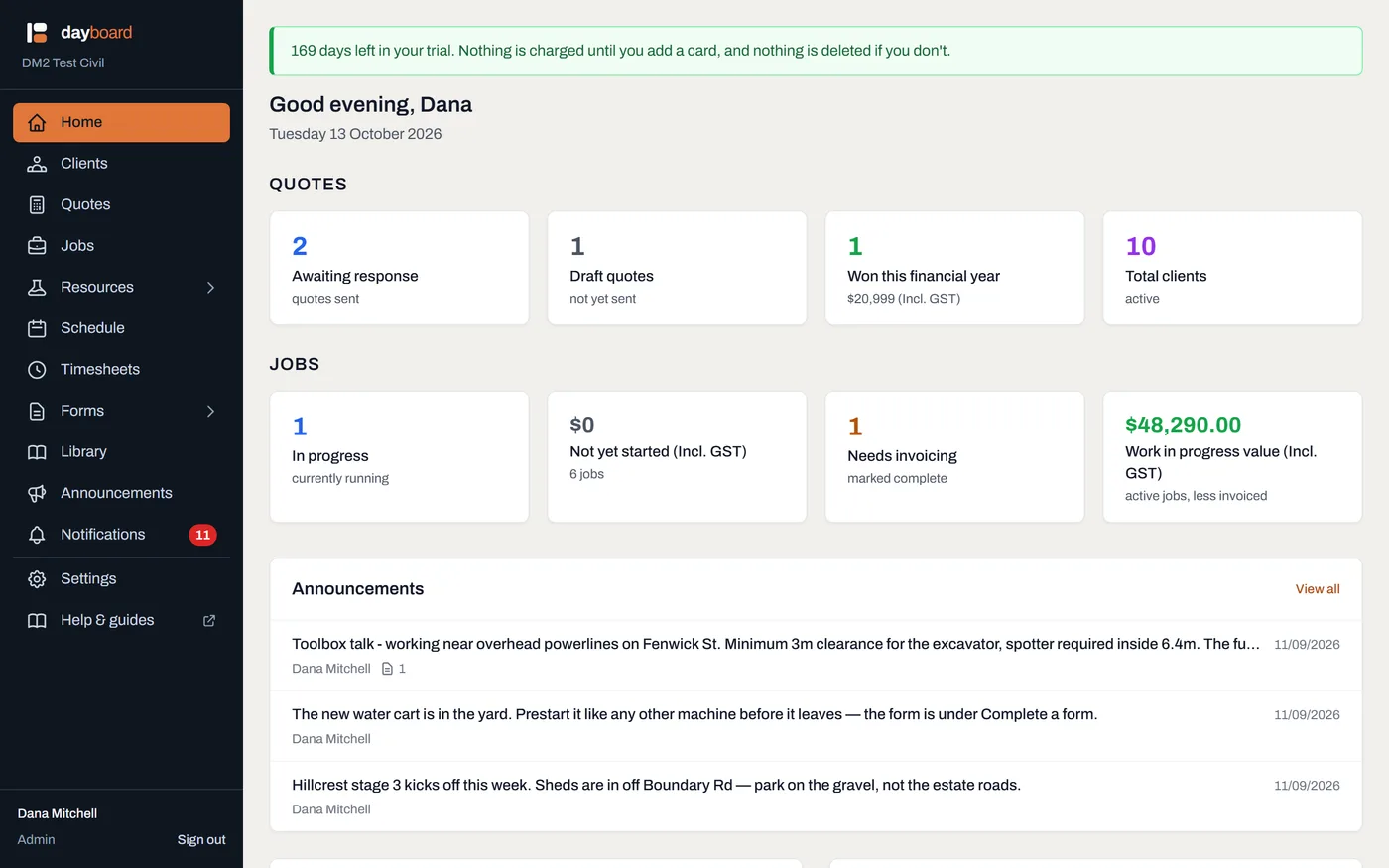
Open Home and scroll to Getting started. The checklist sits at the bottom, after the panels about today. It matters most on day one and gets out of the way after that.
Home puts what needs attention first; the checklist waits at the bottom, where day one starts.
Each row has a green tick or an empty ring, and the bold label is a link straight to where that step happens.
Each step ticks itself when the real thing exists; there's no "mark as done" to fib with.
Create your account is already ticked. It reads "Done: your company is set up." One down, and it proves the ticks work.
Add your resources. Crew and plant, the things you schedule. The step ticks the moment your first resource exists, whether you typed it in or imported a spreadsheet. Guide: Add your crew, plant and vehicles.
Create a job, then Book it on the calendar. Two steps on the list, one motion in practice. The job comes first because a booking needs a job and a resource to join together. Attach the drawing while you're there; as the checklist itself says, that is the aha moment. Guides: Create a job and attach the drawings, then Make your first booking.
Invite your crew. This one is admin-only; a manager's checklist shows "An admin does this." It ticks as soon as a second person is on the account, invited or active. It sits after jobs and bookings on purpose: invite people once there's something for them to see on day one. Guide: Invite your crew.
Post a notification. A safety alert or a toolbox note: the crew sees it on their phone, and you get the acknowledgement trail. Ticks on your first post. Guide: Post to the crew.
Add a meter to a machine, and Publish a form. The last two are optional if you only schedule people, which is why they're last. Hours or kilometres on a machine is what drives service reminders; a published prestart or checklist is what your crew fills in on their phones. Guides: Meters: hours and kilometres and Publish it to the crew.
Worth knowing
Sample data never ticks a box. The checklist exists to walk you through doing each thing for real, and loading the demo dataset isn't that. The ticks only count rows you made yourself.
The invite step ticks on the invitation, not the acceptance, and an invited person costs nothing until they set their password and activate.
The order is dependencies, not ceremony. Resources before jobs before bookings, because a booking is a job and a resource joined on dates; crew after all three, so their first open shows a real day.
Managers can do all of it except the invites. That step, Users and Billing are the admin's corner of the product.